A visual designer for declarative micro-apps
Design micro-apps. Ship them as JSON.
Mica is a visual designer for small, multi-page apps — an intake form, an approval step, a checklist. Compose pages on the real renderer or describe them to the designer's assistant, wire them up without code, and hand one JSON document to the React app that runs it, with its own routing, sign-in and data.
An animated recreation of the Mica designer. A Button is dragged from the component palette into a “Friday team lunch” RSVP form, labelled “Count me in” in the inspector, and wired to set /guest/attending to true and go to the Thanks page. In preview, a name is typed and the button pressed: the event log records both actions and the page changes to “See you on Friday” with the name.
01 Compose
The canvas is the renderer.
Drag components onto a canvas that is json-render itself, the renderer your host runs. The designer only lays its chrome over the top — and none of it reaches the document.
- Editor stateSelection, the deepest-target hover outline, nested drag and drop — before, after or into. Every edit commits as an undoable patch transaction. None of it is exported.
- Your documentjson-render's own output, exactly as a host renders it — one PageStack, as many pages as the app needs.
- The designerA component palette, the live canvas and an inspector generated from each component's schema.
02 AI mode
Describe it. Review every change.
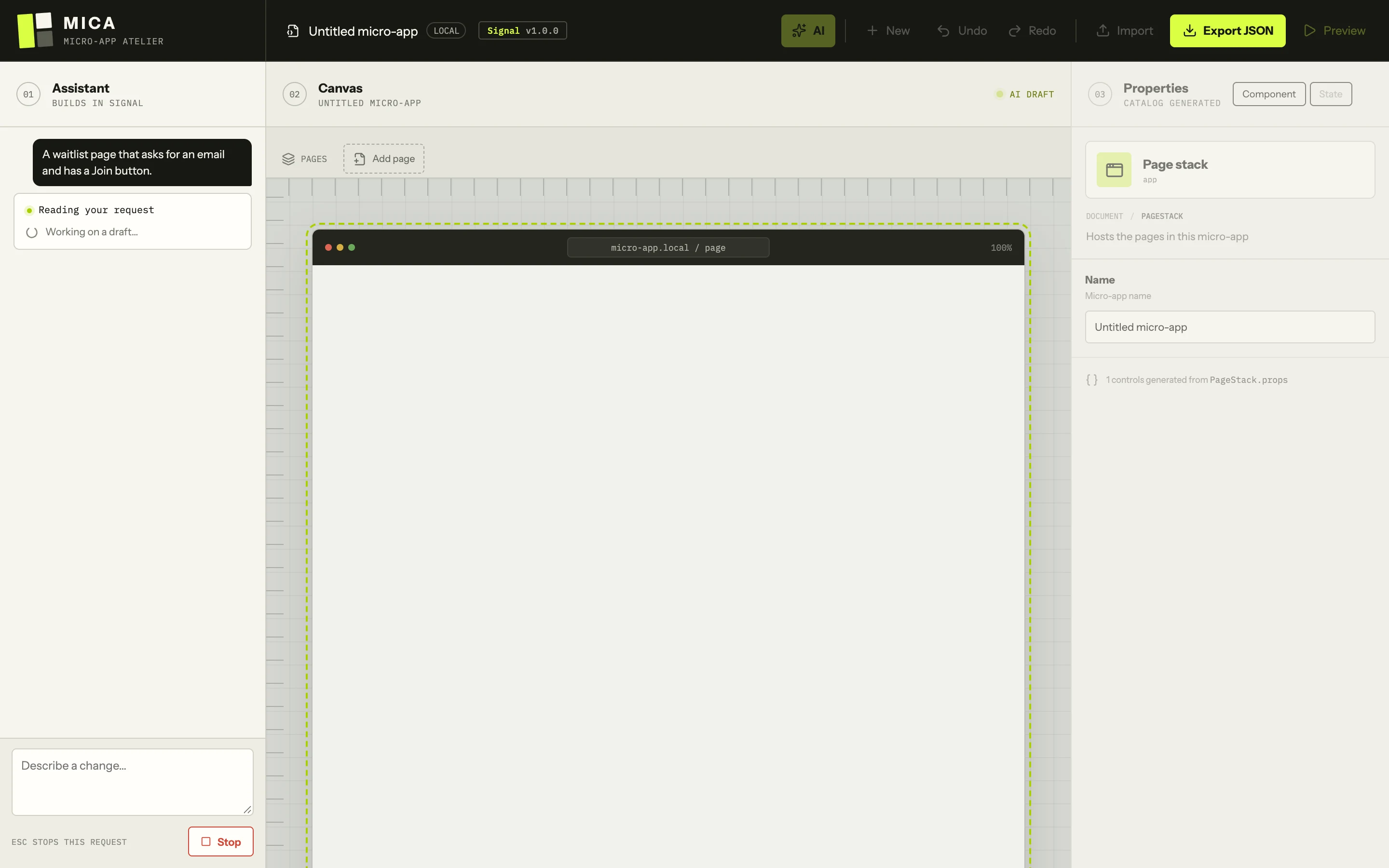
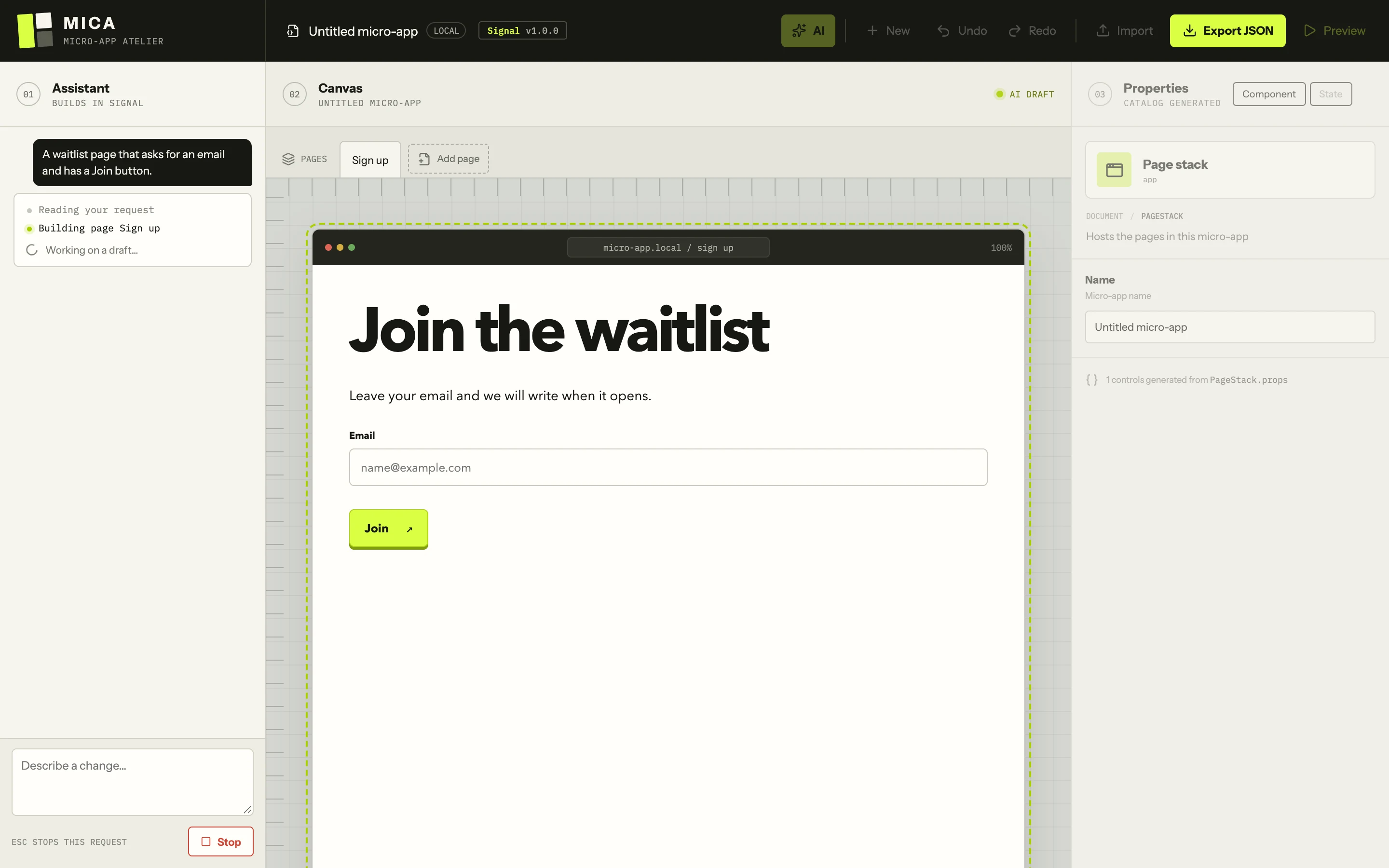
AI mode adds an assistant to the designer. Say what the app should do, in plain words; it builds with the same components and rules you do, and the designer checks what comes back with import's own check before applying it. You can only ever be handed a document you could have imported — and one undo takes it back.
- 01
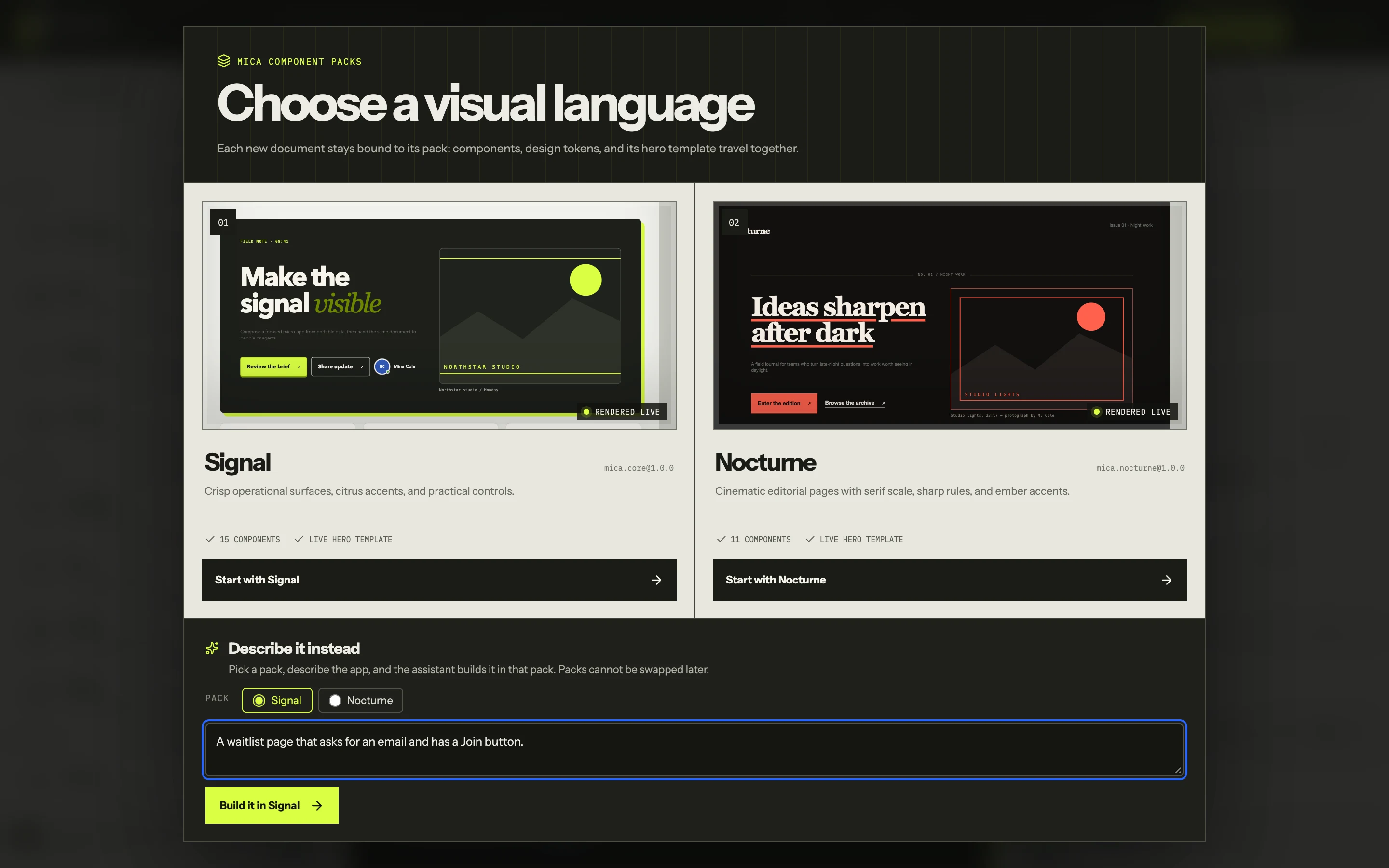
Describe it
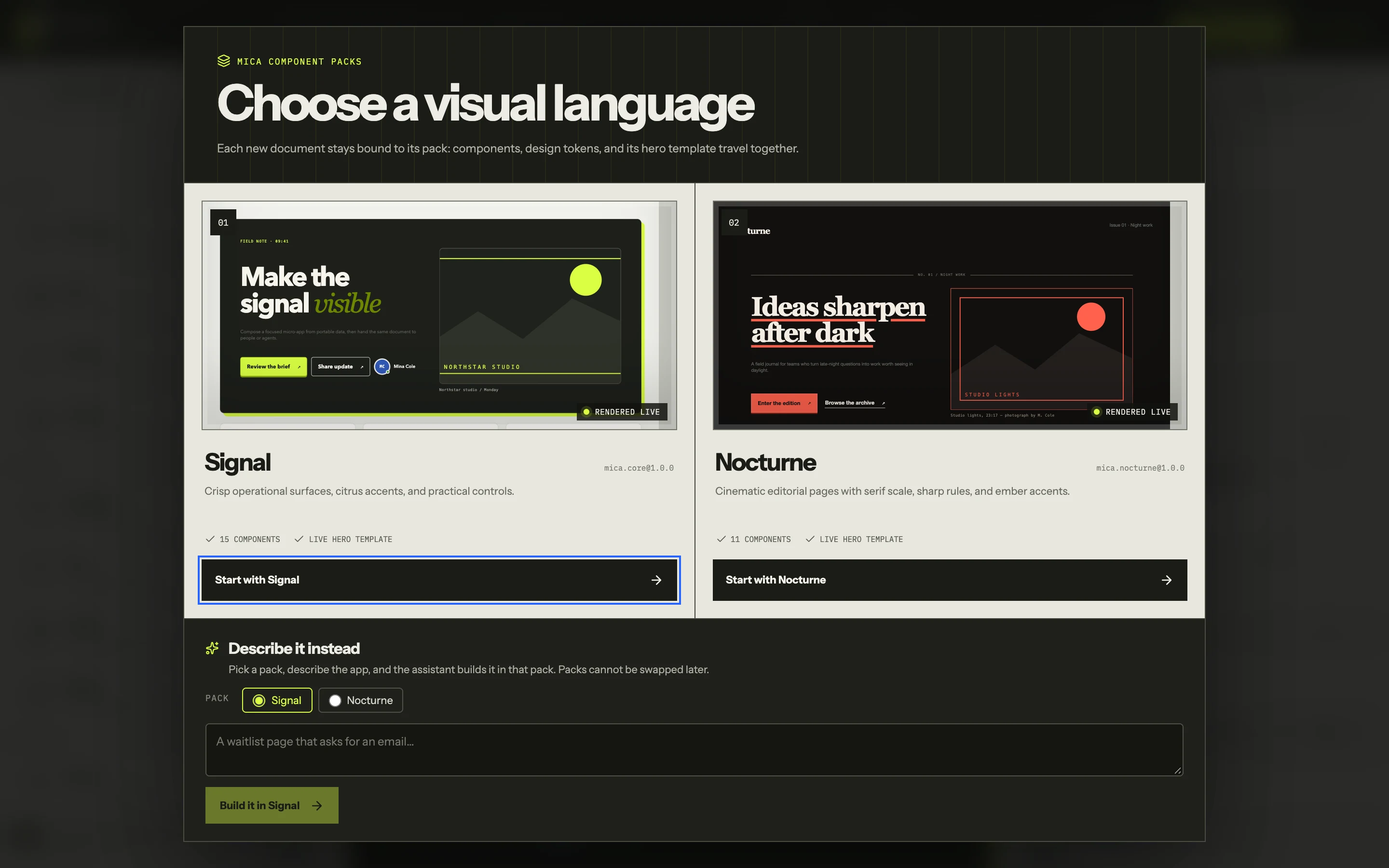
Under the packs, Describe it instead takes a pack and a few plain sentences. The designer starts that pack's blank document and sends your words as the first request; later, the top bar's AI button opens the Assistant panel for changes.
- 02
Watch the draft build
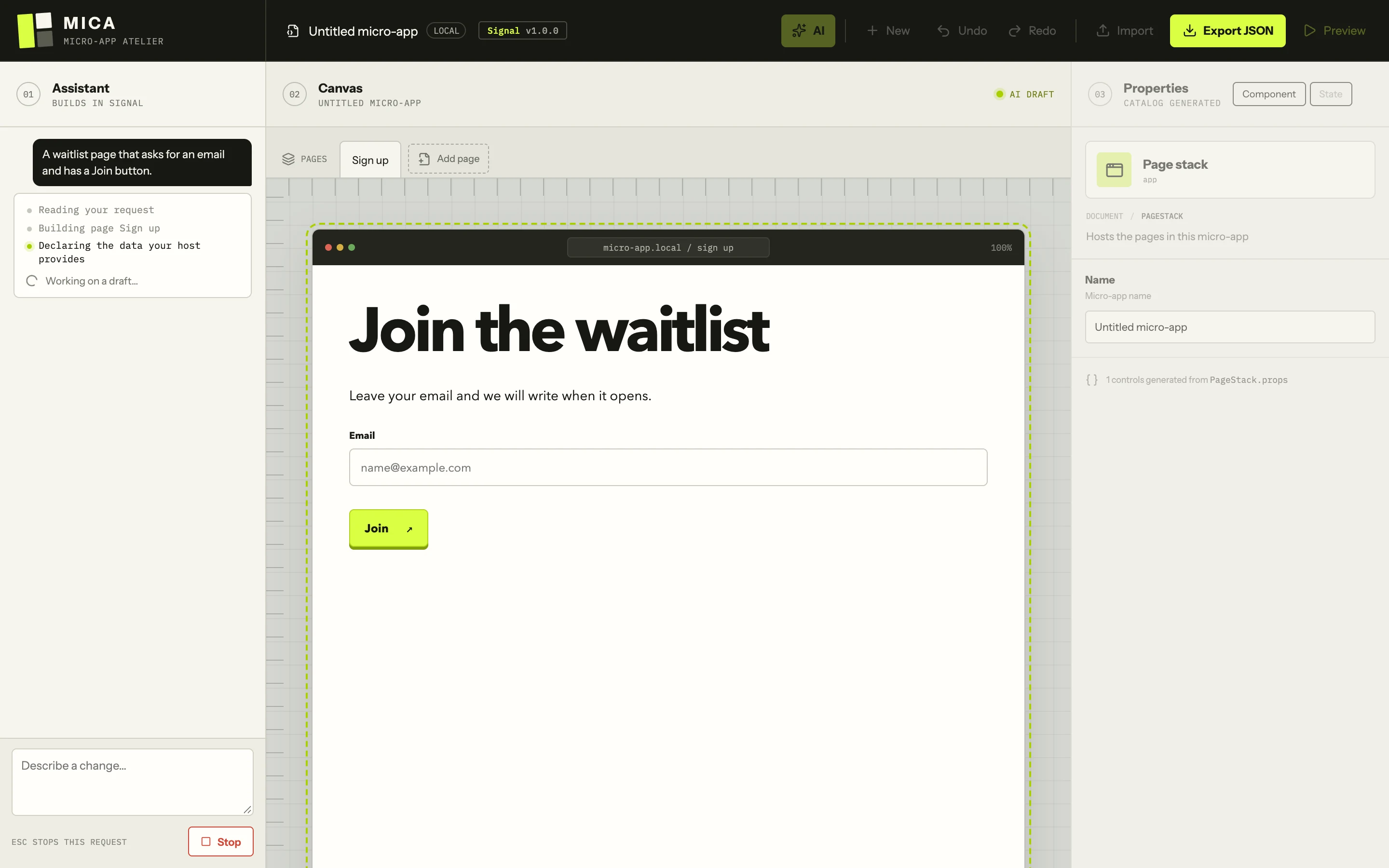
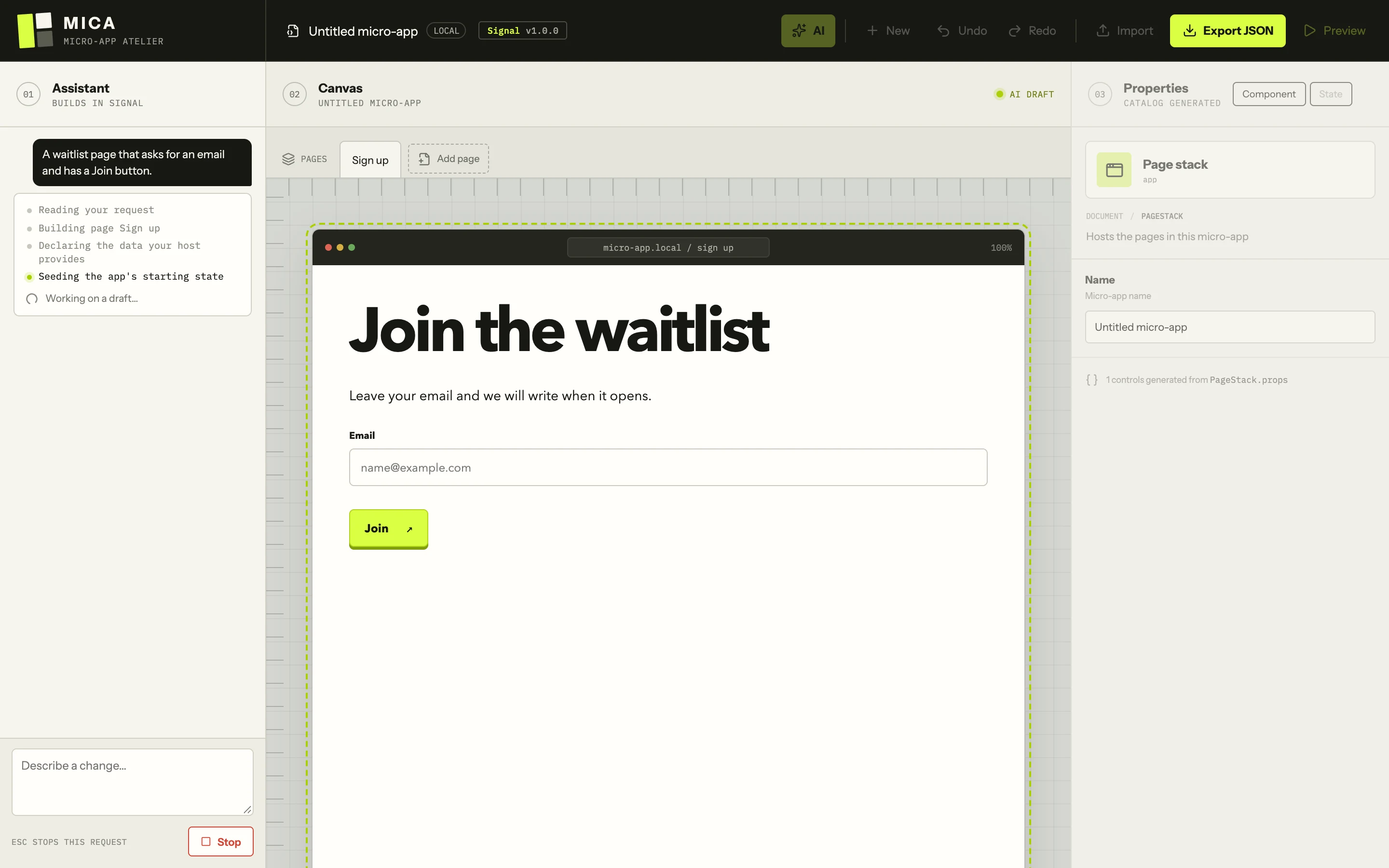
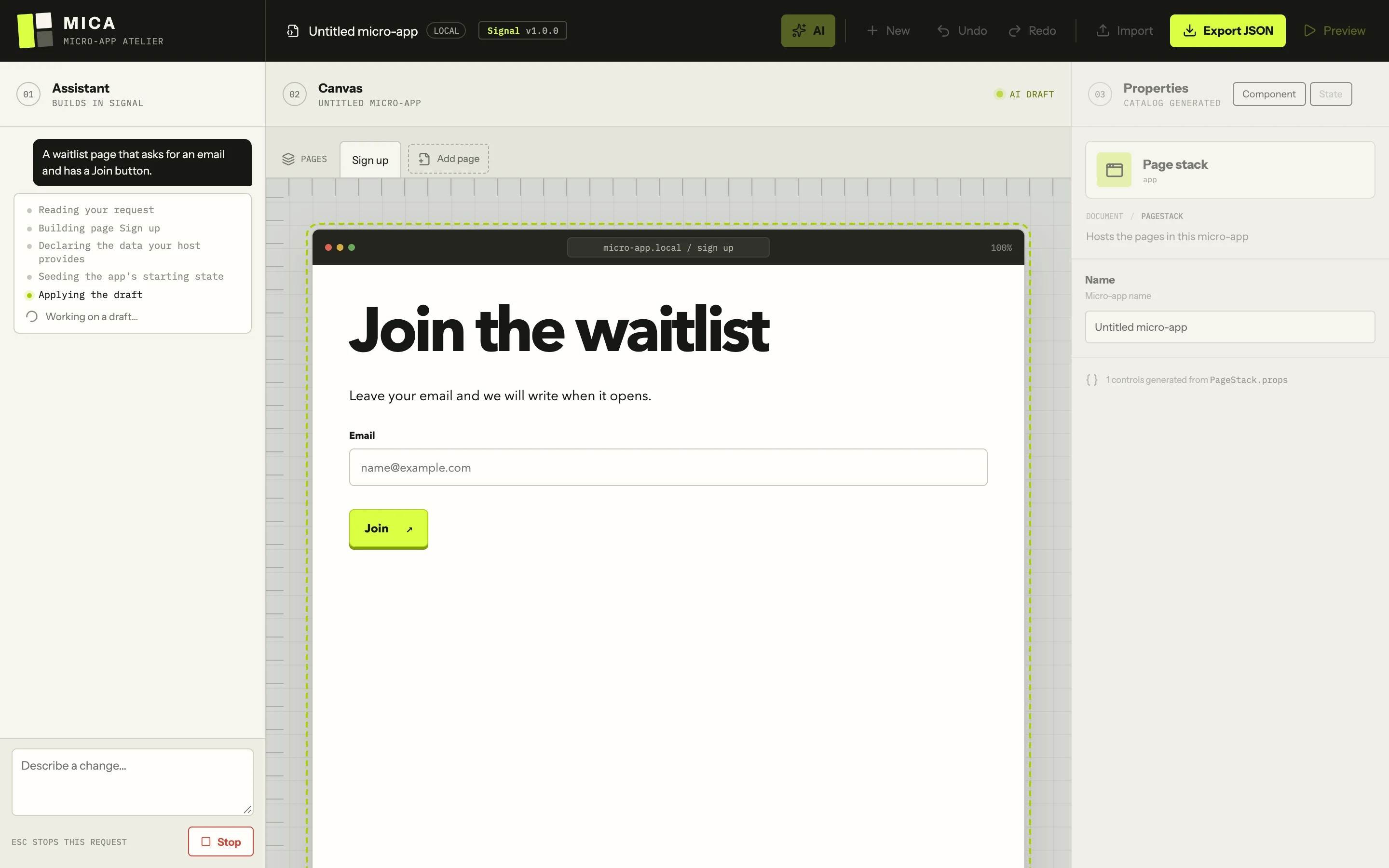
The panel lists each step as it happens. The canvas shows the draft as it grows, read-only and marked AI draft; Properties, Import, Undo and Preview wait, and Stop or Esc cancels with nothing applied.
- 03
Read what changed
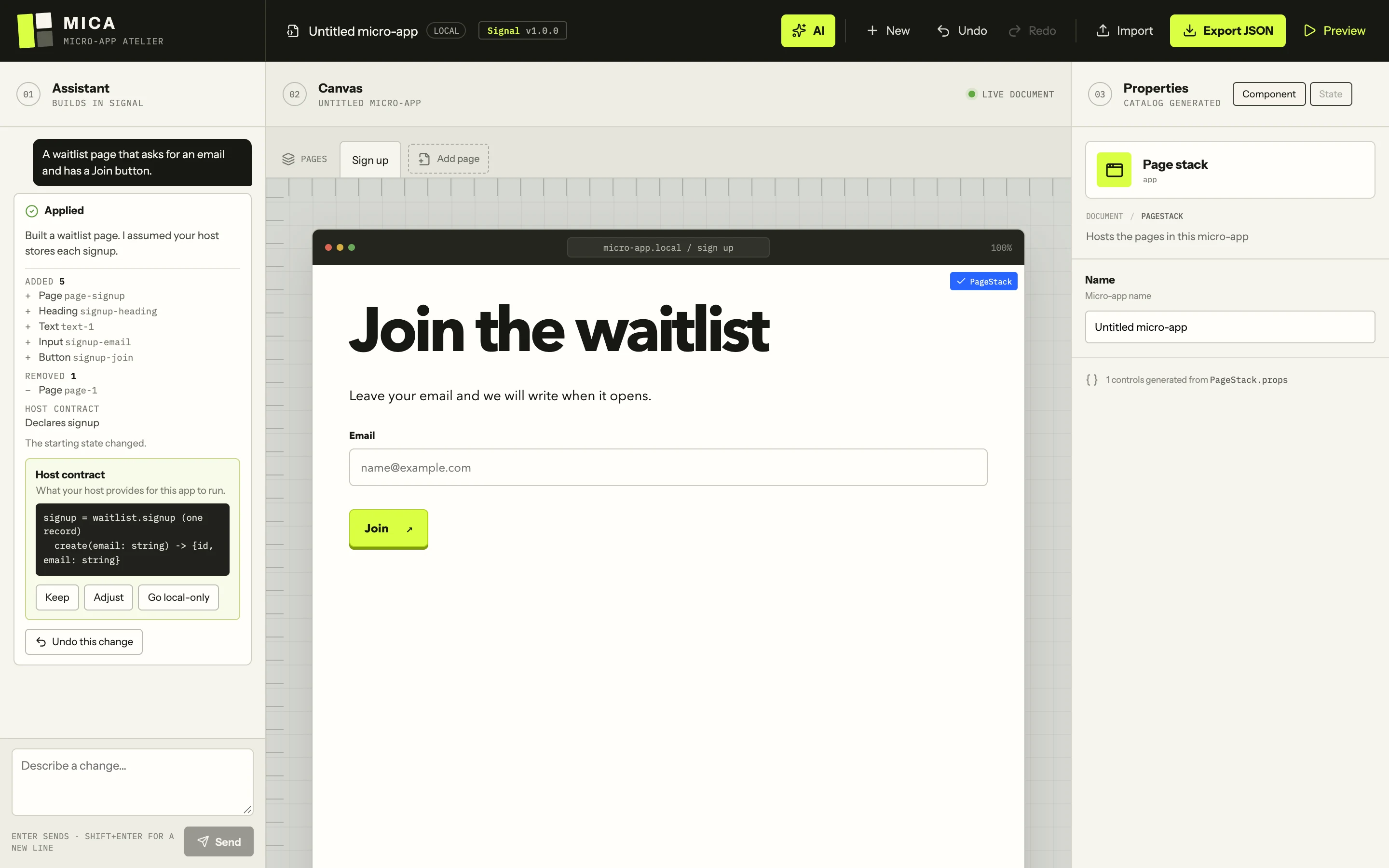
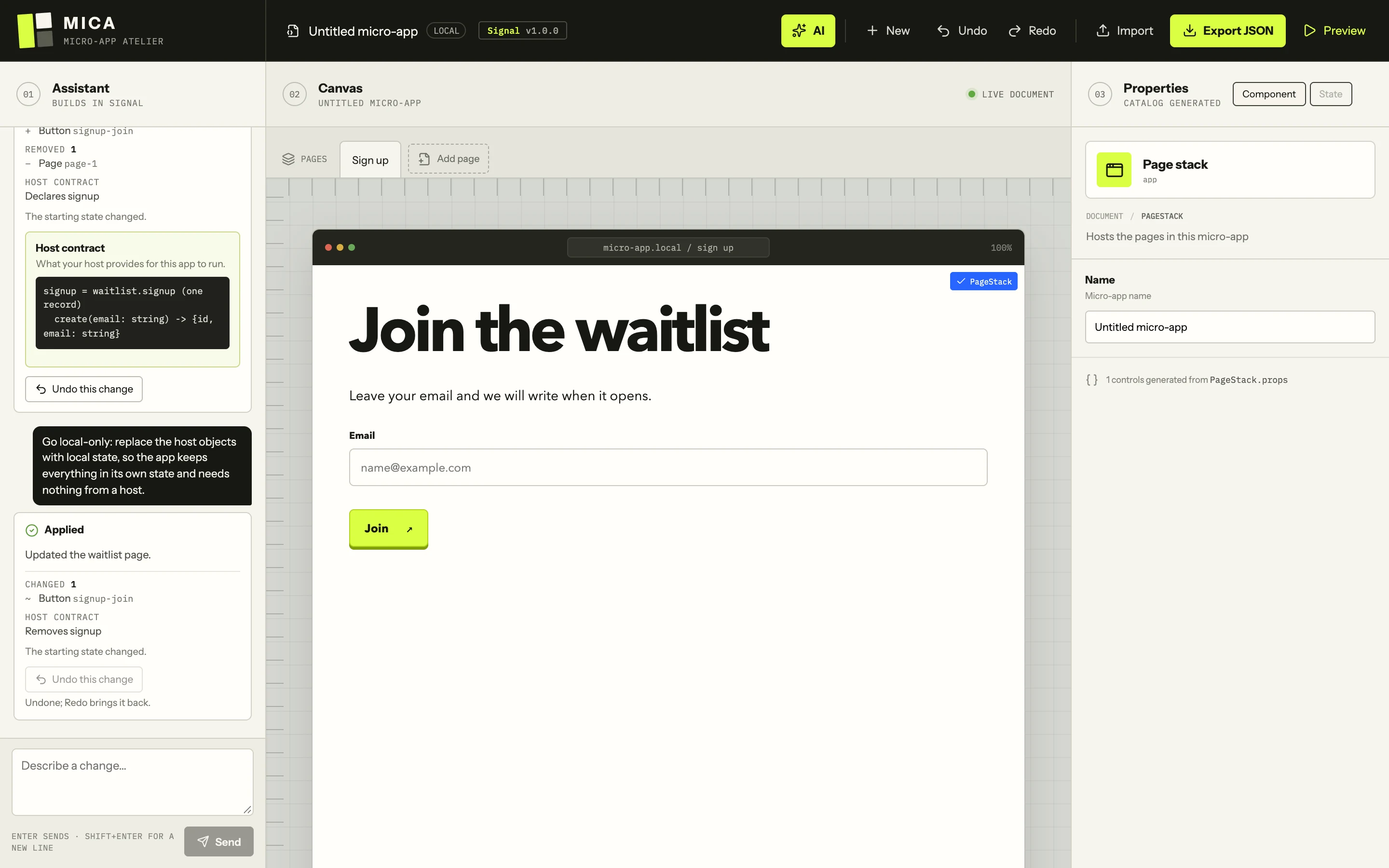
Import's own check reads the result before it is applied, as one undo step. The card says what the assistant assumed, lists elements added, changed, moved and removed, and spells out what the app now needs from its host.
- 04
Keep it, or take it back
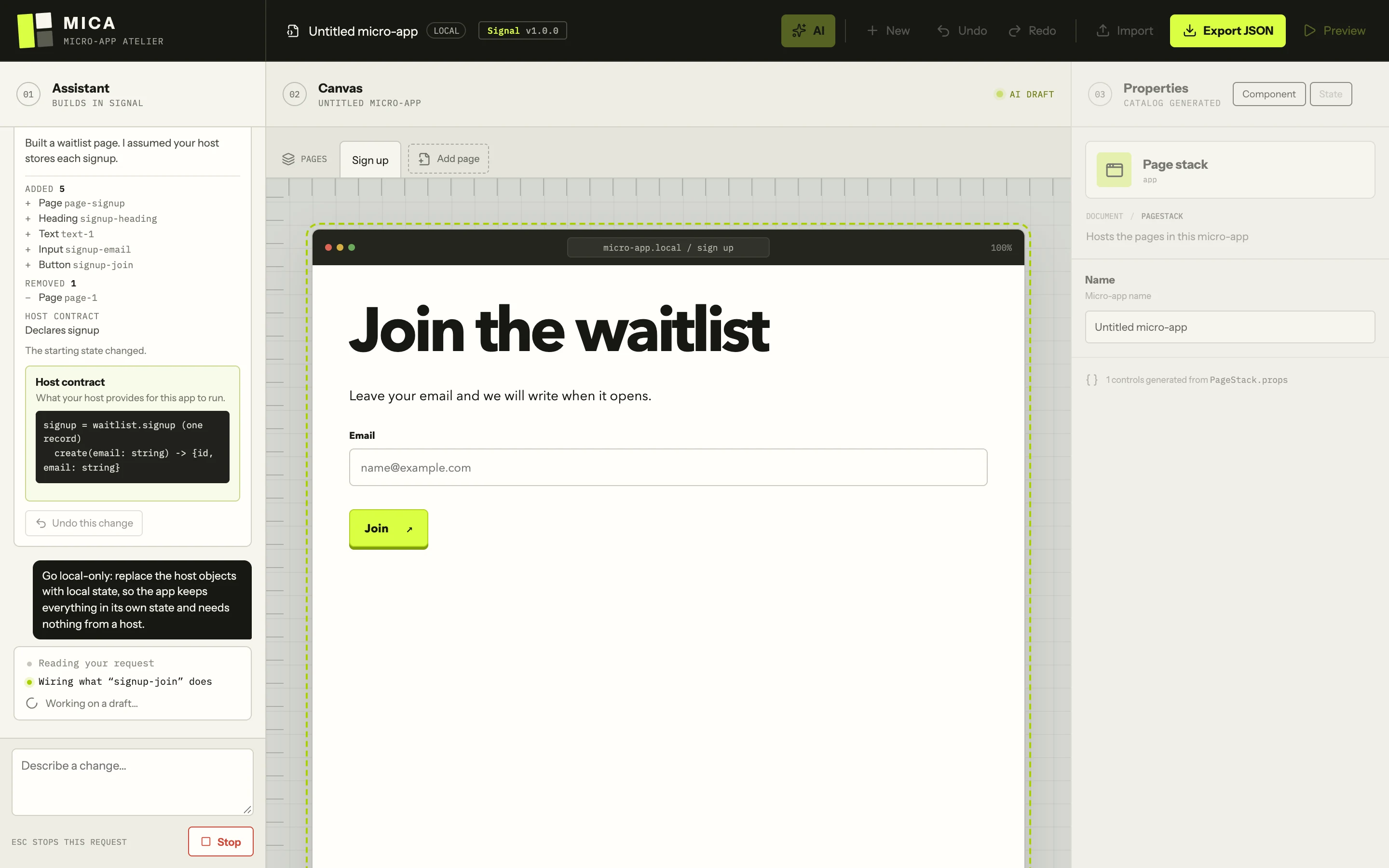
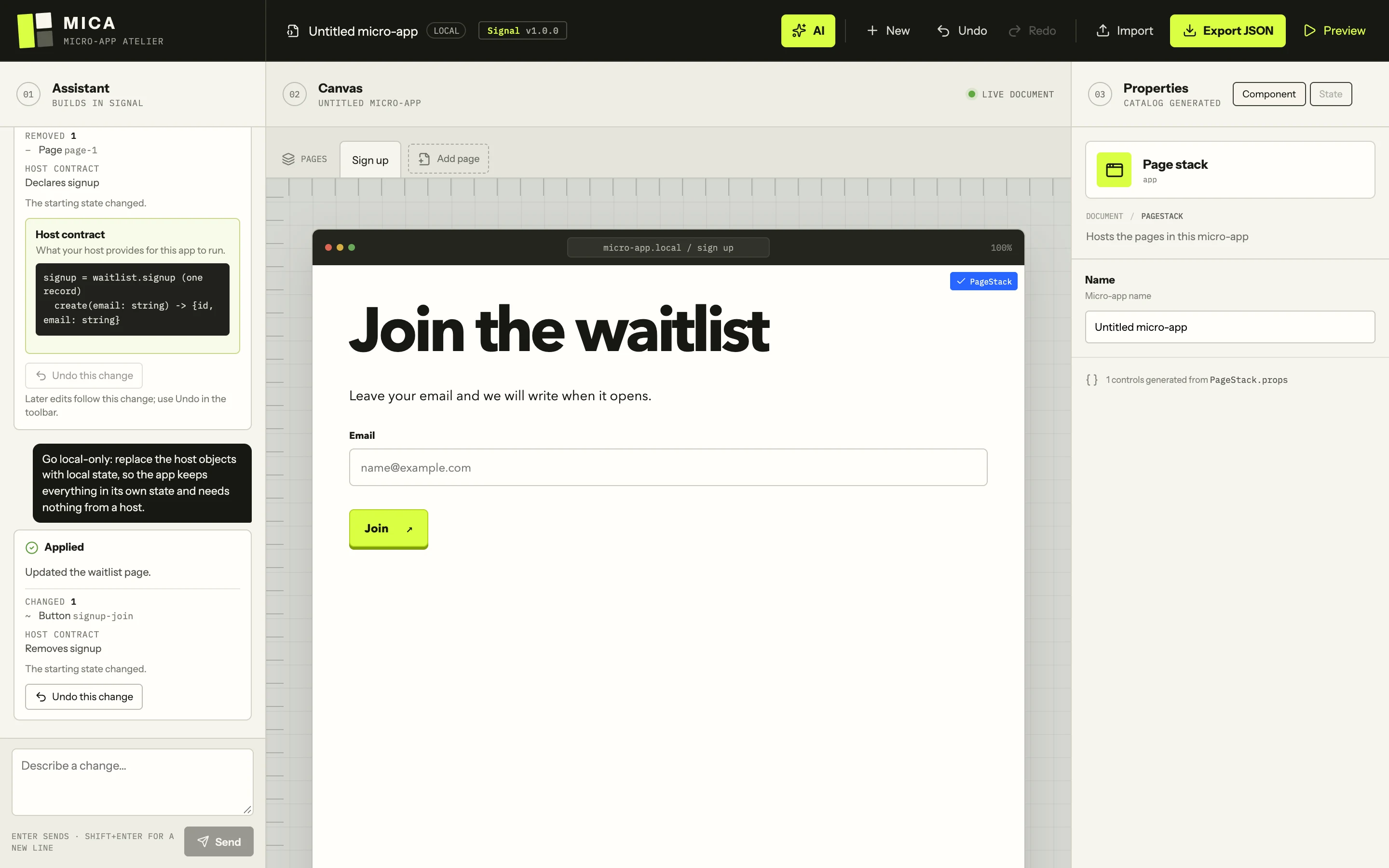
Keep the host contract, Adjust it in words, or Go local-only to keep the data in the document's own state. Undo this change takes the whole request back in one step, and Redo brings it back.
AI mode runs when Mica's agent service runs beside the designer, and the hosted designer signs in invited email addresses only. Build with AI mode walks through a request; Run AI mode locally sets up your own.
03 Packs
Choose a visual language.
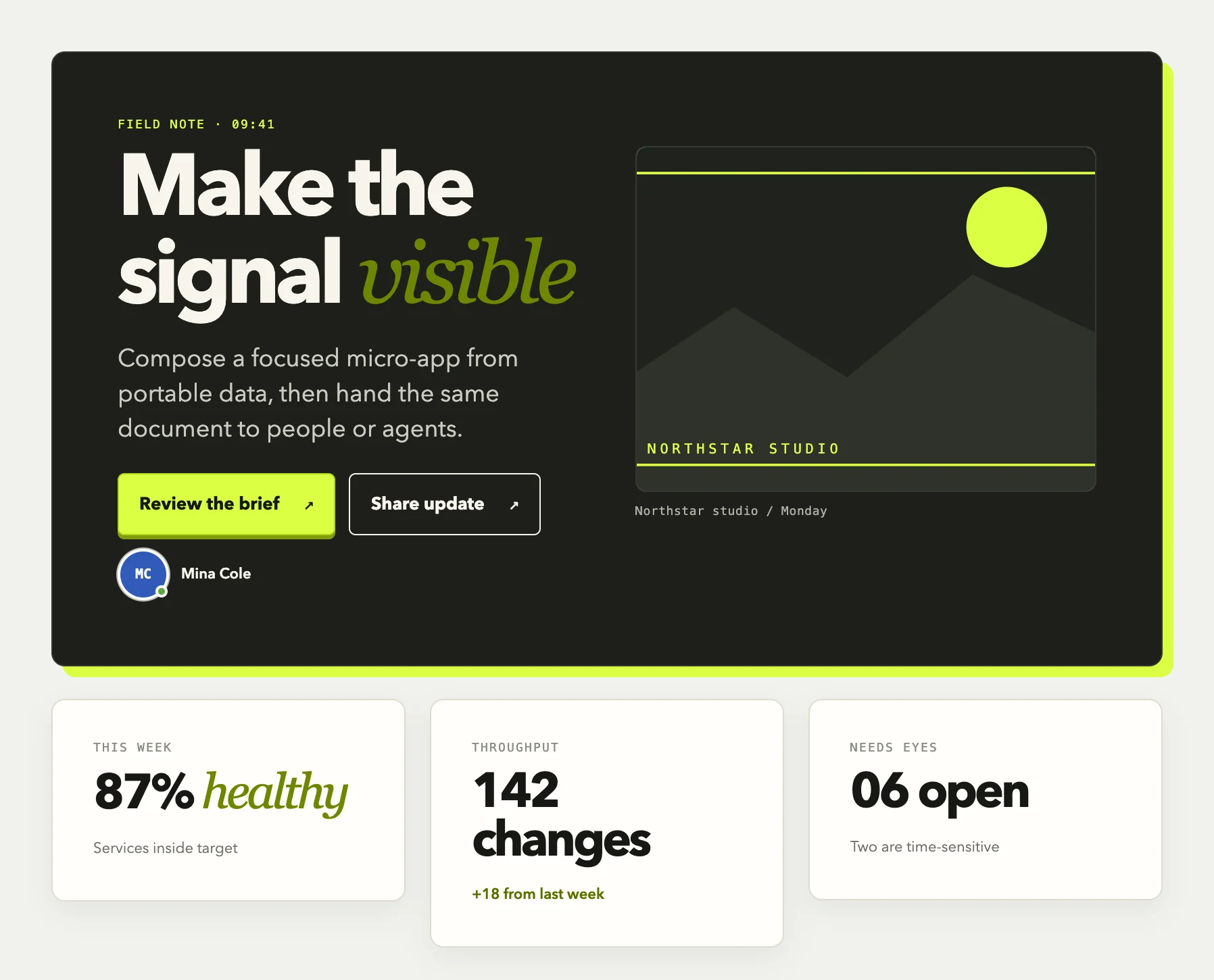
Every document starts from a curated pack — its own components, semantic design tokens and a two-page starter, all drawn by one runtime stylesheet. Signal is crisp and operational; Nocturne is cinematic and editorial. A document stays bound to the pack it was made with.
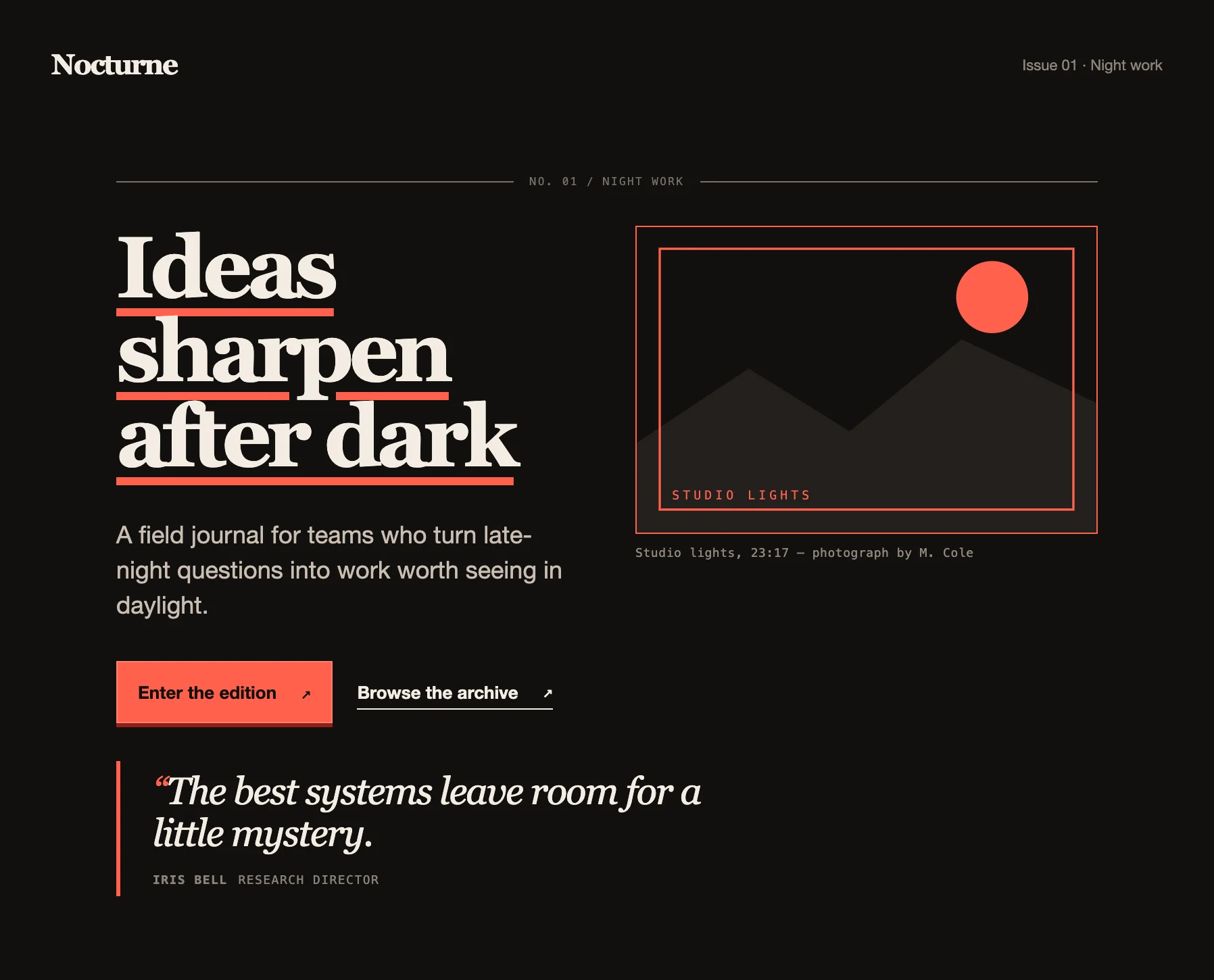
- Accent
--ui-button-solid-bg - Signal: #d9ff43
- Nocturne: #ff614d
- Display face
--ui-font-display - Signal: Avenir Next
- Nocturne: Georgia
- Body face
--ui-font-body - Signal: Avenir Next
- Nocturne: Helvetica Neue
- Corners
--ui-radius-sm / md / lg - Signal: 5 · 8 · 10 px
- Nocturne: 0 · 0 · 0 px
- Components
palette - Signal: 13
- Nocturne: 11
- Starter
two pages - Signal: Northstar Dispatch
- Nocturne: Nocturne Journal
Nothing converts across packs: pick one in the designer's pack picker, and the palette, the tokens and the starter template travel together.
04 Inspector
Every prop is a typed control.
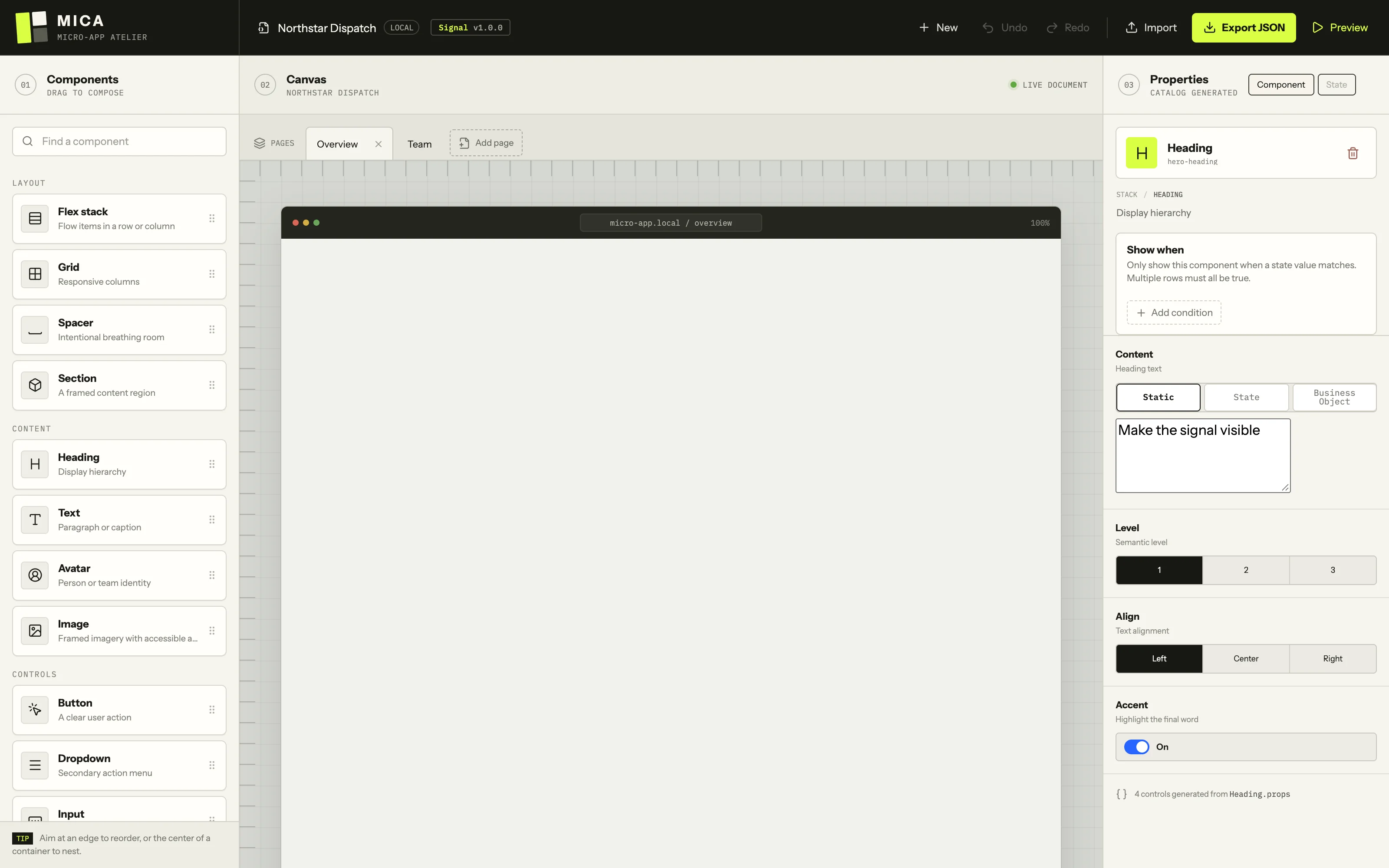
The inspector is generated from each component's Zod schema: a short enum becomes a segmented control, a longer one a select, a boolean a switch, .describe() the caption. The same schema checks every edit before it reaches the document — and because each pack owns its schemas, the same Heading gets different controls in Signal and in Nocturne.
Heading: {  props: z.object({    content: boundHeadingSchema.describe("Heading text"),    level: z.enum(["1", "2", "3"])
      .describe("Semantic level"),    align: z.enum(["left", "center", "right"])
      .describe("Text alignment"),    accent: z.boolean()
      .describe("Highlight the final word"),    accent: z.enum(["none", "last", "underline"])
.describe("Editorial emphasis"), }),}Make the signal visible
4 controls generated from Heading.props
05 Interactivity
Wire it up. No code.
Buttons fire press; inputs fire commit when a person finishes an edit. Pick what happens from one bounded vocabulary — set a value, go to a page, fetch or write a business object, add or remove a list row — bind inputs two ways, and show or hide components on a condition. No expression language to learn.
This is examples/documents/first-app.json, running in this page through mica/runtime. Type a name and press Count me in.
The wiring, from the document
Input Your name
value ⇄ { "$bindState": "/guest/name" }""Input Dietary needs
value ⇄ { "$bindState": "/guest/diet" }""Button Count me in on.press
setState /guest/attending → trueidlegoToPage → page-thanksidlePage Thanks
Text { "$state": "/guest/name" }Text visible { "$state": "/guest/diet" }hidden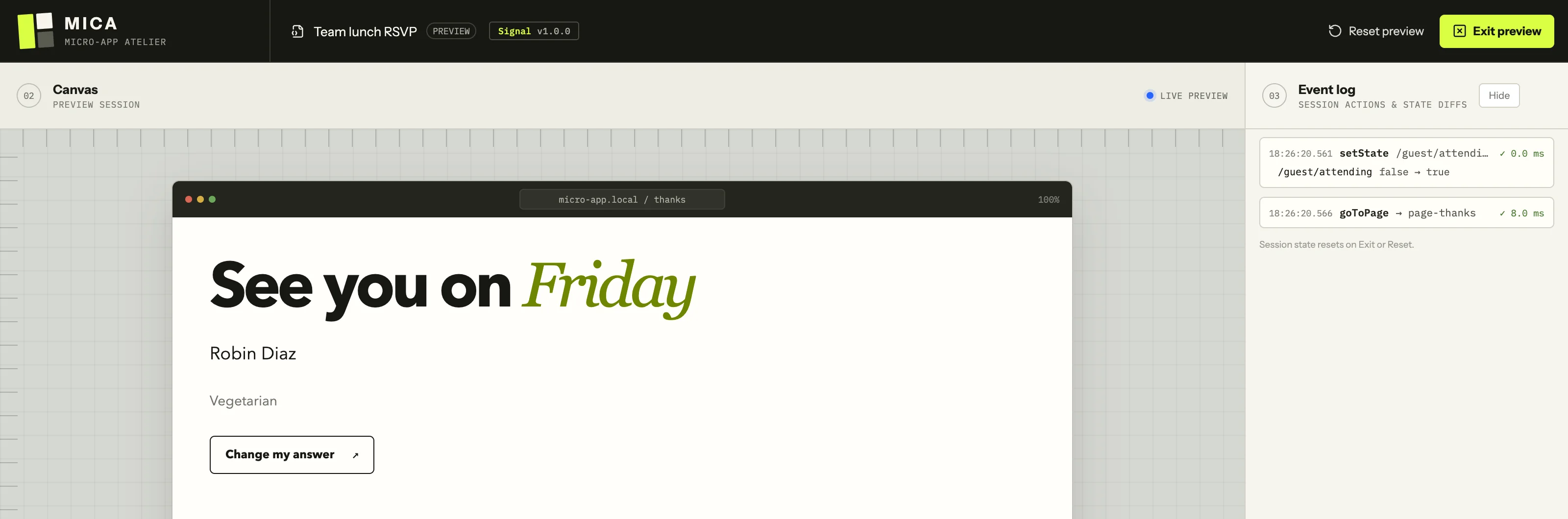
06 Business objects
Bring your own data.
A document declares the records it expects — a customer, a ticket, a purchase request — and your host supplies them from its own services. Mica fetches, creates, updates and deletes through that contract, one operation at a time, and never hands the page anything it did not declare.
- 01
Declare what the page expects
The document names the record it needs — here a crm.customer with one identity, four fields and the verbs it may call — plus what to load at startup. No host code lives in the document.
- 02
The host answers; Mica projects
At startup Mica asks your host through the binding you register. The answer is checked against the declaration and projected into state: fields the document never declared never reach the page.
- 03
Rules run before the host is asked
Declared input rules are checked first: a one-letter name never leaves the page. When the host refuses something itself, its per-field error lands where the document already shows one.
- 04
The host decides who edits what
A binding can report per-field writability. The same document renders the billing email read-only here, with the host's reason, and editable for someone the host trusts.
Now with a host
The same customer profile, running live.
A stand-in host keeps the record in memory. Press Edit profile, then Save changes with a one-letter name — the document's own rule refuses it — or with Acme, which the host refuses. Close this account asks first, in a confirmation Mica draws itself.
07 Lists
One template. Every row.
Repeat a Stack or Grid once per row of a host collection or a local list, and read each row with $item. Rows act on themselves, edit a draft and write back by identity; local lists add and remove rows with built-in caps. Filtering and sorting stay with the host: the newest press wins, and the older fetch steps aside.
The stand-in host takes almost a second to answer. Press Open, then Pending before it does: the first fetch is superseded and only the newest result lands.
repeatover a collection or a local list$itemand$indexin a template- Row buttons and row inputs
addRow/removeRow, capped at 500 rows- Create, update, delete one row by identity
08 The document
Plain JSON. Strict at the door.
Everything you build is one versioned JSON envelope that people, diffs and agents can read. Import checks every key it carries — in the designer and in parseDocument — and anything Mica does not understand is refused by name. Nothing a document carries is ever silently dropped.
An animated import of first-app.json. One at a time, each mistake in the list beside it is written into the document, and import refuses the document with that message.
Refused by name — four real messages
Unknown prop “colour” on Text “rsvp-intro”.Element “rsvp-intro” uses “watch”, which is not enabled in this version of Mica. Remove it and re-import.Element “thanks-back” (on.press[0]): goToPage targets unknown page “page-9”.Document requires Signal 2.0.0; this editor provides 1.0.0.
The envelope
envelopeVersion- One version today; a document from a newer Mica is refused, not guessed at.
ui- The json-render spec — root, elements, state — kept intact.
meta.pack- The pack and version the document is bound to.
objects- The host records it expects. Optional.
lifecycle.startup- What to load when it starts. Optional.
Micro-app atelier
Open the atelier.
The designer runs in your browser. Start from a pack or describe the app to the assistant, compose on the canvas, wire it and preview it — then export the JSON and hand it to your app. The hosted designer is open to invited email addresses.